Your virtual desktops deserve their own wallpapers
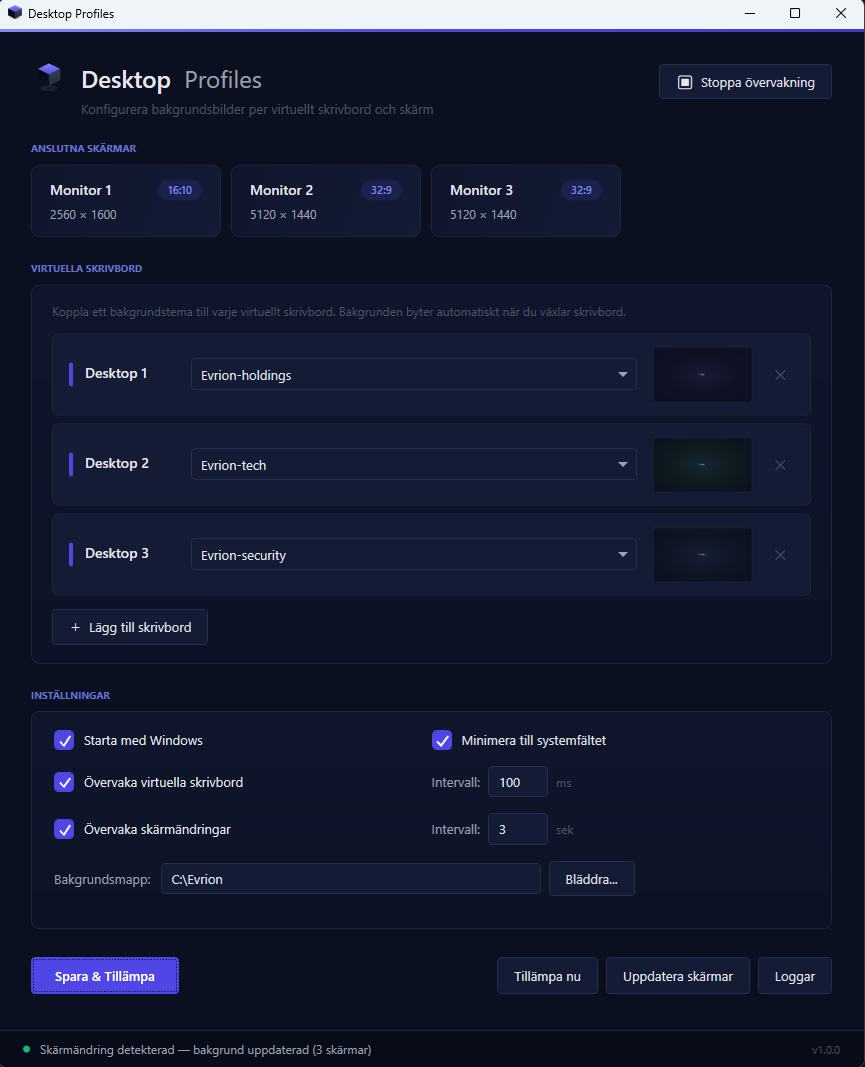
Windows 11 has virtual desktops — but puts the same wallpaper on all of them. Desktop Profiles fixes that. Automatically, per monitor, per desktop. Even ultrawide.
Code signed by Evrion Tech Solutions AB
The problems we solve
Every desktop looks the same
Windows 11 has virtual desktops but no way to set different wallpapers for each. You can't visually tell them apart.
Docking chaos
Plug in an external monitor? Windows resets or stretches your wallpaper. Every single time.
Ultrawide is ignored
21:9 and 32:9 screens get cropped or stretched images. No built-in support for correct aspect ratios.
How Desktop Profiles solves it
One wallpaper per monitor
Windows puts the same image on every display. Desktop Profiles lets you choose individually — with the right image for each resolution, including ultrawide (21:9) and super-ultrawide (32:9).
One profile per virtual desktop
Windows has virtual desktops but no wallpaper profile per desktop. Desktop Profiles switches wallpapers automatically when you switch — instantly.
Install and forget
No login, no account, no cloud service. Runs silently in the system tray and survives reboots, docking, and display changes.
10 languages built in
Swedish, English, Norwegian, Danish, German, French, Spanish, Finnish, Portuguese, and Italian. Automatically selected based on your Windows settings.
System Requirements
- Windows 11 (22H2 or later)
- 250 MB free disk space
- 1–4 monitors (supports ultrawide 21:9 and super-ultrawide 32:9)